How to Manage a Crypto Portfolio: A Step-by-Step Guide
Learn everything you need to know about crypto portfolio management, what you need to know before getting started, and how to manage your portfolio with Xverse.
Sign up for updates!
Stay tuned to our latest news and updates
.svg)
Building a cryptocurrency portfolio can be challenging when you’re new to the space. So many chains, so many coins, and a long list of different apps and trading platforms can make it difficult for newcomers to know where to start.
In this guide, you’ll learn how you can create your own crypto portfolio and use Xverse Portfolio to manage all your Bitcoin-native assets in one place.
What Is a Crypto Portfolio?
A crypto portfolio is an investor’s collection of cryptocurrencies and other digital assets. It can contain a range of such holdings, from popular coins to NFTs, DeFi tokens, and even memecoins.
Diversification is the main reason why many crypto investors create portfolios as opposed to just investing in one or two assets.
A balanced portfolio, with diverse assets, can potentially help with risk mitigation if you’ve done your homework properly. Portfolios also help with planning your future investments and approaches, plus they’re a good way to avoid emotional trades (if you can stick to your investment strategy).
Notably, there’s a big difference between just having a ‘bag of coins’ and an actual strategy. A strategy requires planning, foresight, familiarity with the market, and anticipation of different possible outcomes.
How to Manage Your Crypto Portfolio: Step-by-Step
Managing your crypto portfolio can be simple with the right tools and a good game plan. Since having a good place to store your cryptocurrencies is the obvious first step, we’ll start with Xverse. Xverse is the market-leading crypto bank that supports a wide range of Bitcoin-based assets and offers portfolio management tools.
Step 1: Define Your Goals and Risk Level
First, you’ll want to establish what your plans are. Eyeballing it and going by a hunch is a very risky investment strategy, which is why you need to know your goals and risk levels before you even start building your portfolio.
One important difference is between long-term and short-term portfolios.
Long-term portfolios are typically built around buy-and-hold strategies and are pretty much left alone for a long time. Short-term portfolios, on the other hand, focus on shorter market cycles and require more active monitoring. They are more akin to trading than long-term investing.
Additionally, you’ll need to determine your risk tolerance:
- High: You’re willing to trade memecoins, emerging altcoins, and other volatile assets, which have high potential upside but also the highest possible speculative risk in the market.
- Moderate: You’re mixing stability with growth by choosing an established base alongside riskier tokens for a more calculated approach with lower potential upside, but also a lower risk of major losses.
- Low: Build a portfolio out of established and trusted assets, which pair well with long-term strategies. You’re not risking much, but you’re unlikely to see huge growth in short amounts of time.
Step 2: Plan Your Token Allocation
With your basics defined, you’ll want to decide which tokens you’re buying. Diversification means you’re not putting all your eggs in one basket. Still, only you can decide which approach works for you.
Typically, crypto portfolios include some percentage of these three types:
- Core positions: These are your base. Bitcoin itself, alongside other major L1 coins, often represent the foundation upon which everything else is built.
- Growth: The projects helping grow the ecosystem, like L2s, emerging infrastructure projects, and even gaming tokens.
- Highly volatile and speculative: These don’t necessarily need to have any utility, like memecoins, or they can be new launches going through a hype cycle.
These types range from lower to higher risk, which means you’ll need to decide the ideal percentage for your approach. Of course, all digital assets are risky, so only ever invest what you can afford to lose.
Step 3: Install Xverse and Create/Import Your Wallet
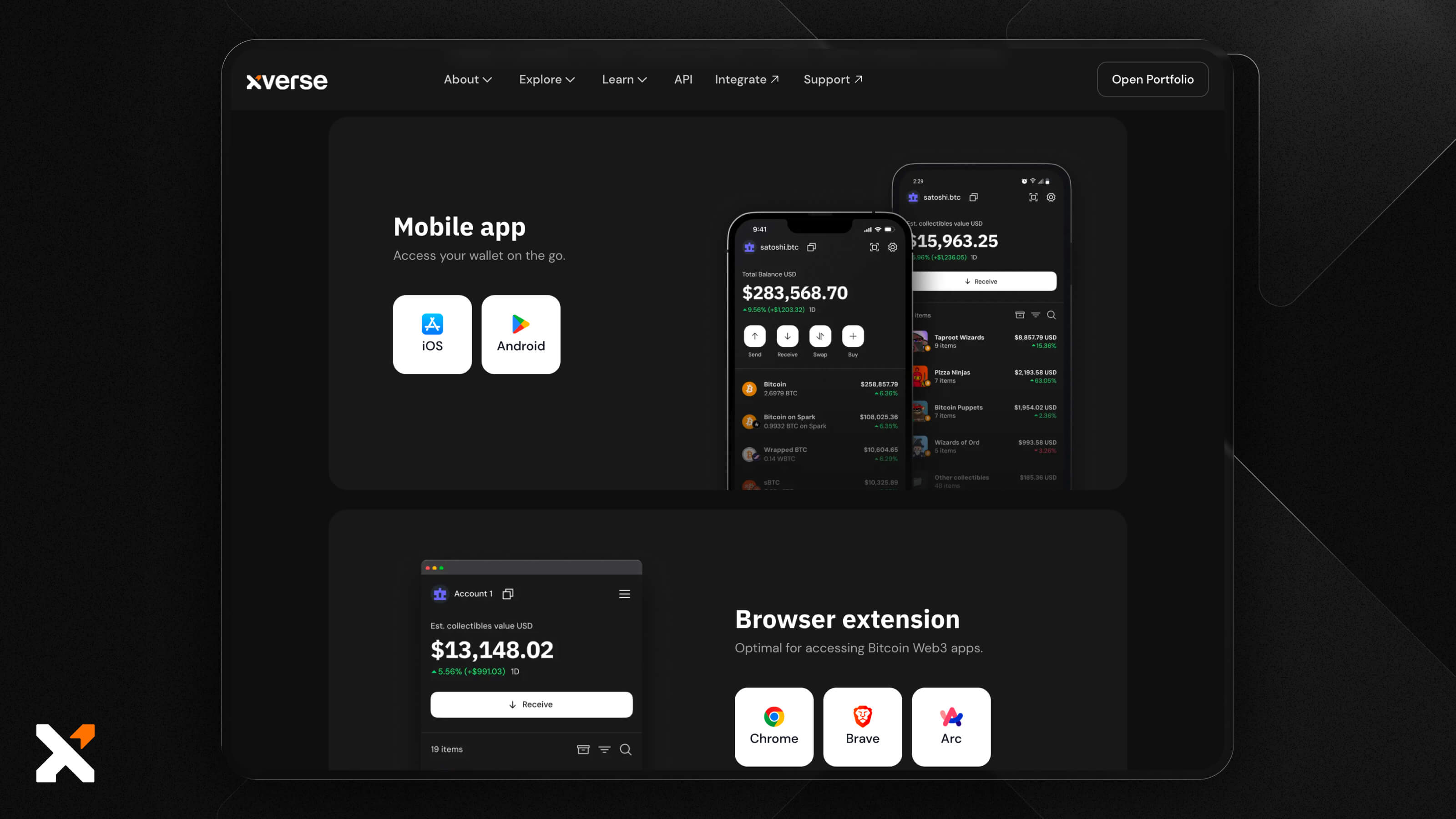
And it’s time to get started. Install Xverse on your browser and either create a new wallet or import an existing one.
If you’re creating a new wallet, you’ll want to set a secure password, copy down your seed phrase, and keep it in a safe physical place, away from prying eyes. This is your way into the existing wallet if you’re restoring one. You’ll need to enter the seed phrase correctly to get access to your funds.
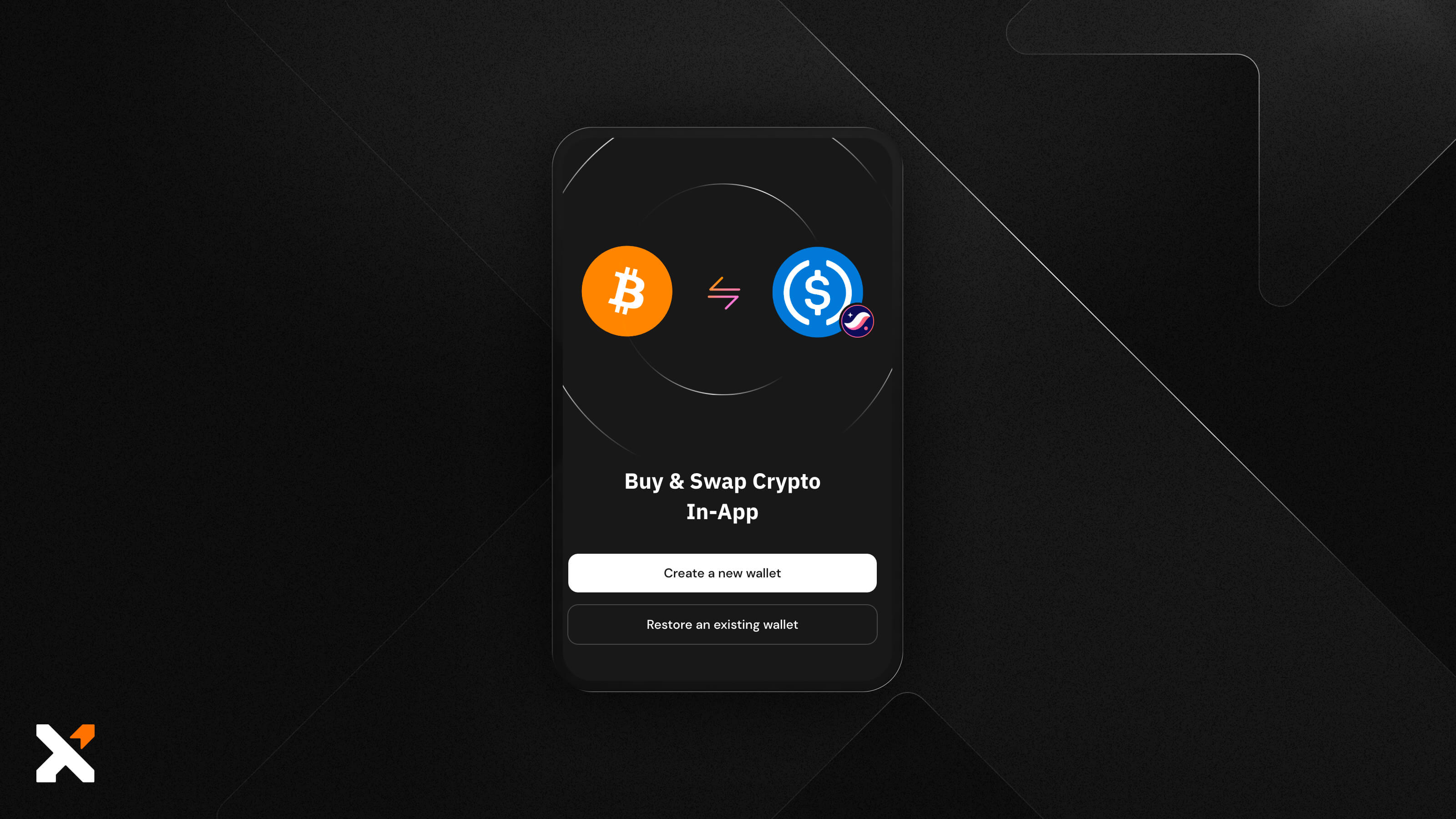
Once your wallet is set up, you’re ready to go.
Step 4: View Your Portfolio Dashboard and Assess Your Current Exposure
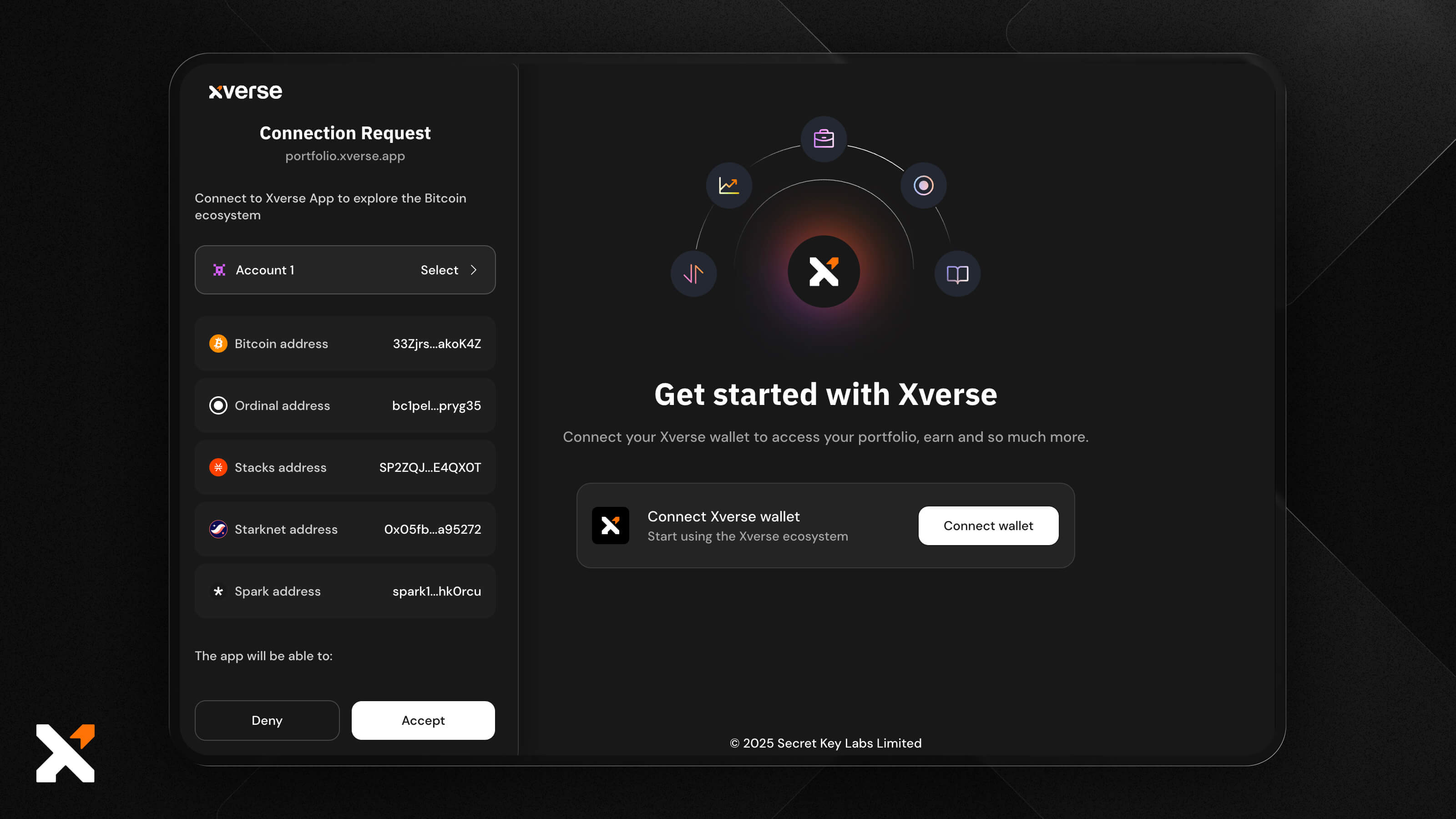
Open the Xverse Portfolio, connect your wallet, accept the Terms and Conditions, and you can begin.
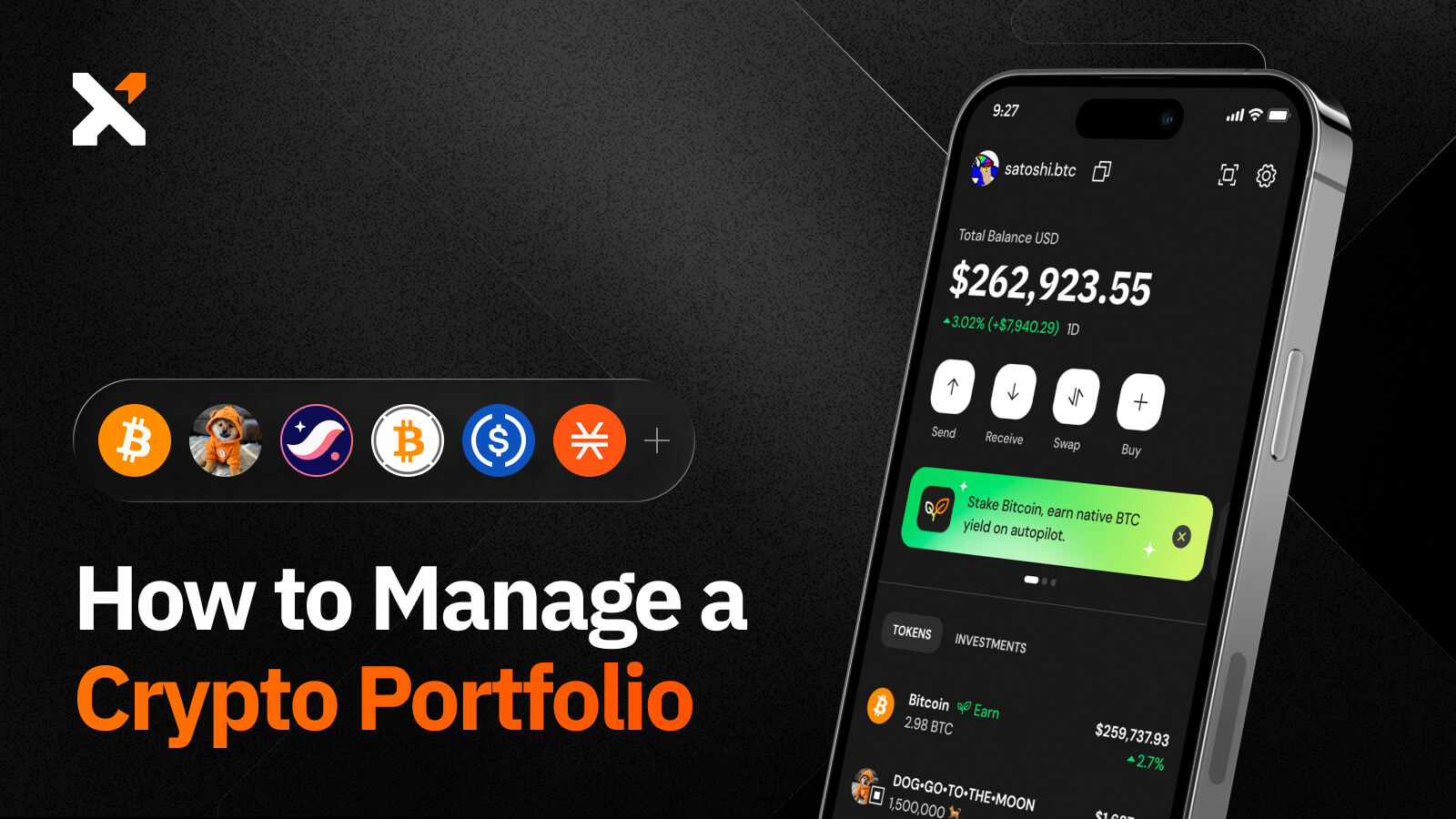
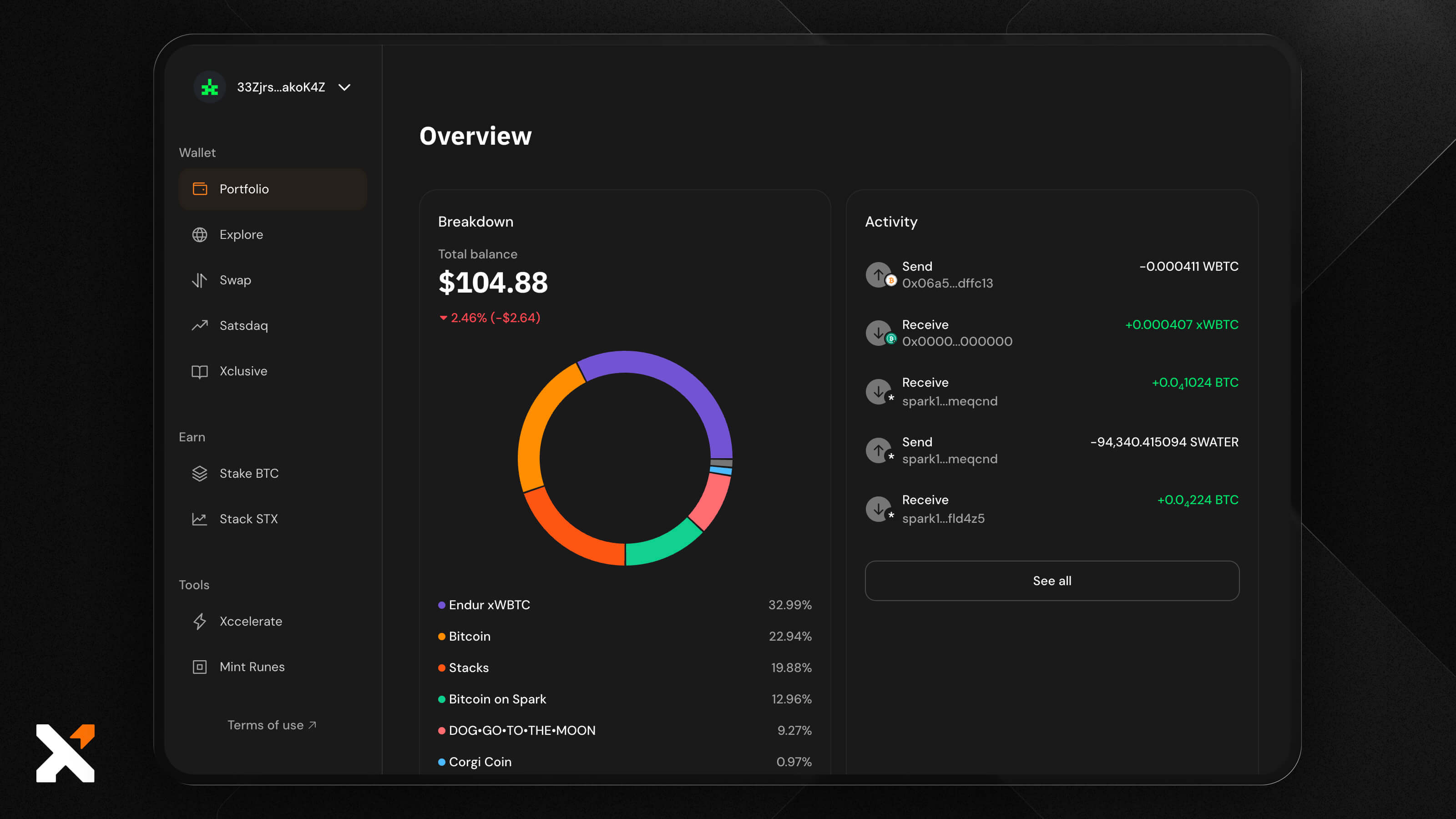
Your total portfolio balance, allocation percentage, activity, and detailed data are all shown under the Portfolio tab on the left side of the screen. This gives you an overview of everything before you start.
Clicking an asset brings up a detailed token page, including charts and market data, your own balance, and basic information about the token, from market cap to ticker. In the case of collectibles like Ordinals, this page will show inscription metadata and transfer options.
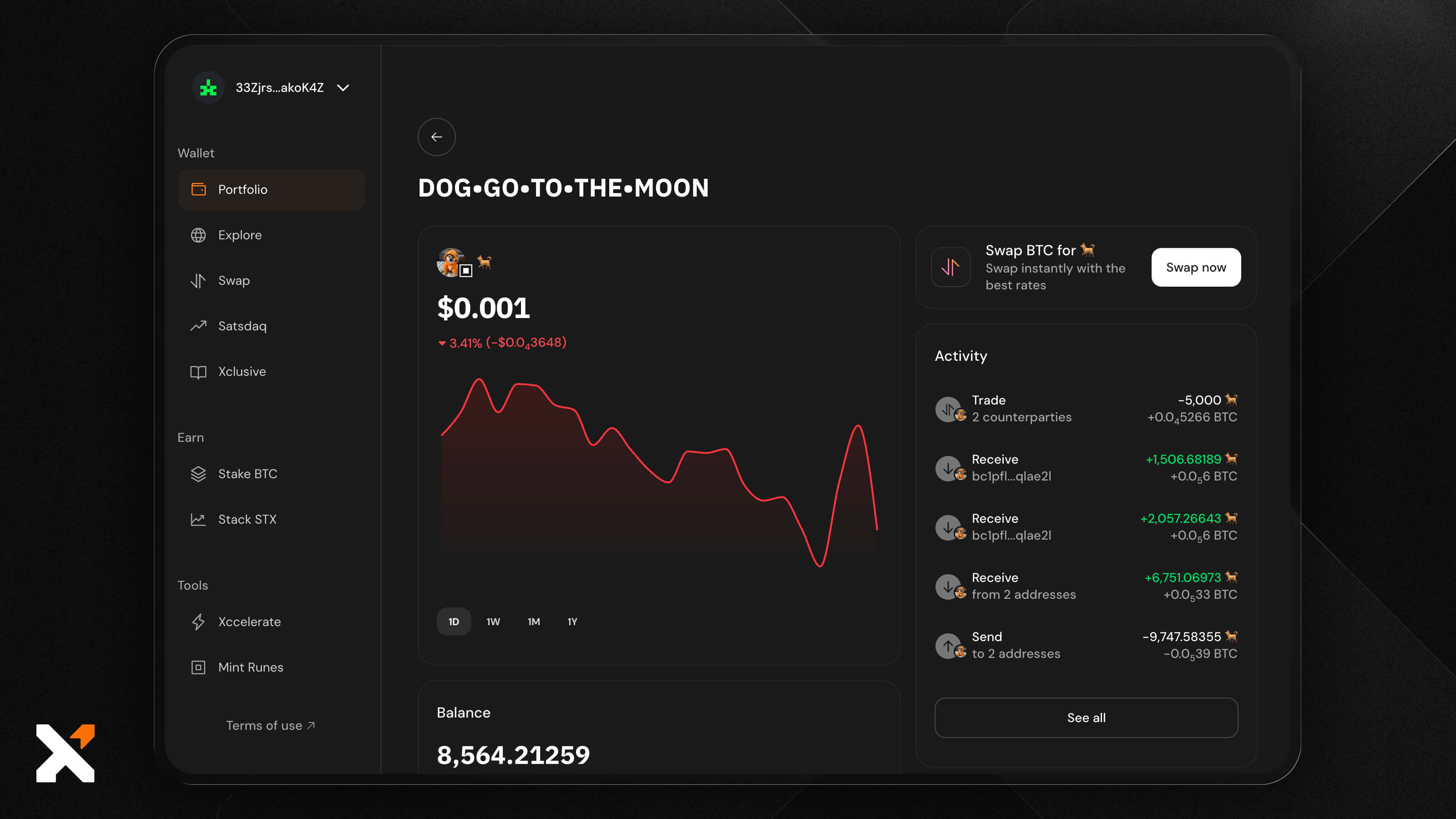
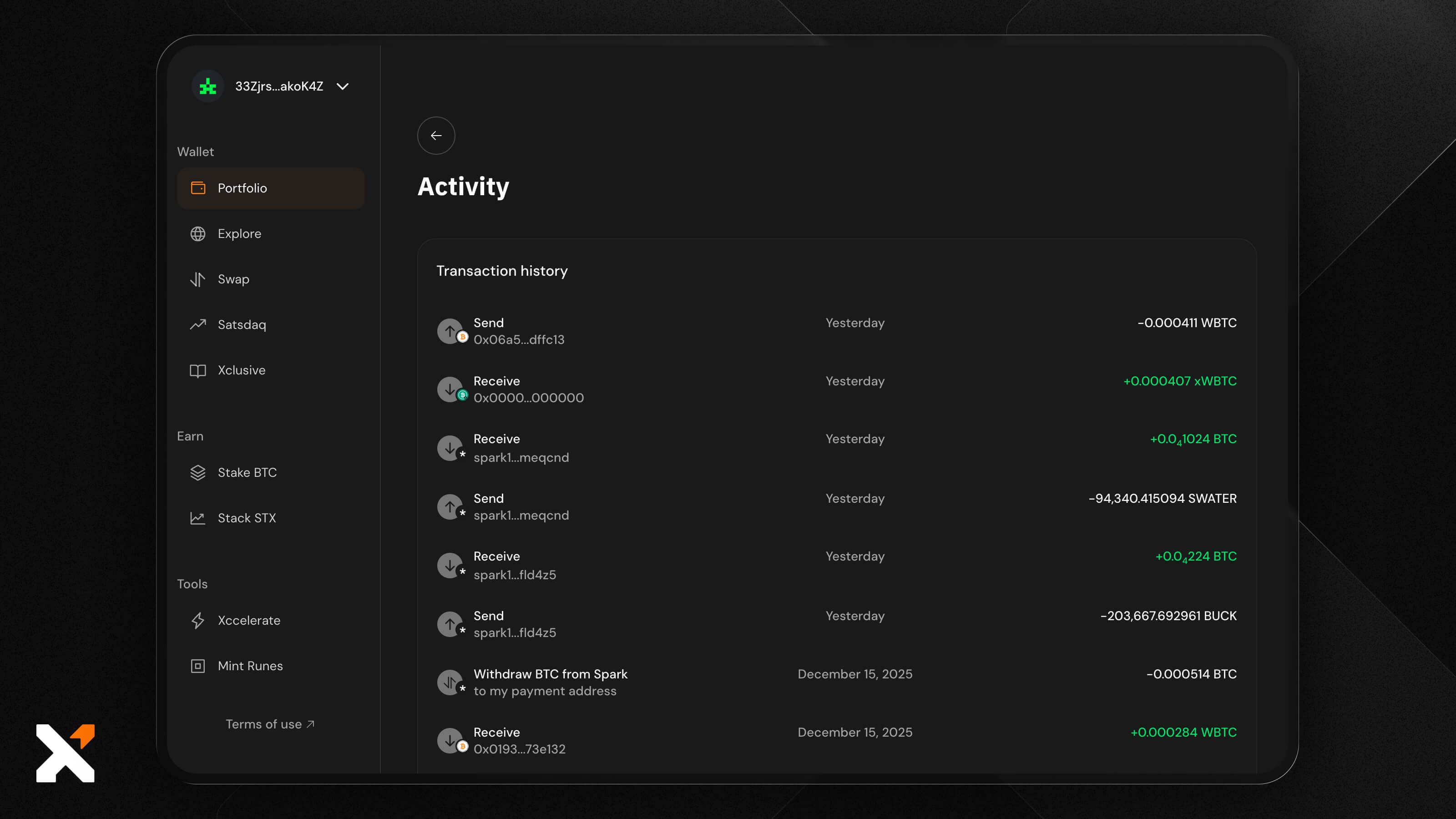
Use the See More option under Activity to see all your transactions. You’ll be able to tell exactly when a transaction happened, how much was transferred, and where.
This is especially useful if you’re taking advantage of Xverse Swaps, since it lets you keep track of everything you’ve swapped.
Step 5: Add, Remove, or Adjust Assets
Once you understand your existing exposure, you can shape the portfolio to match your allocation plan.
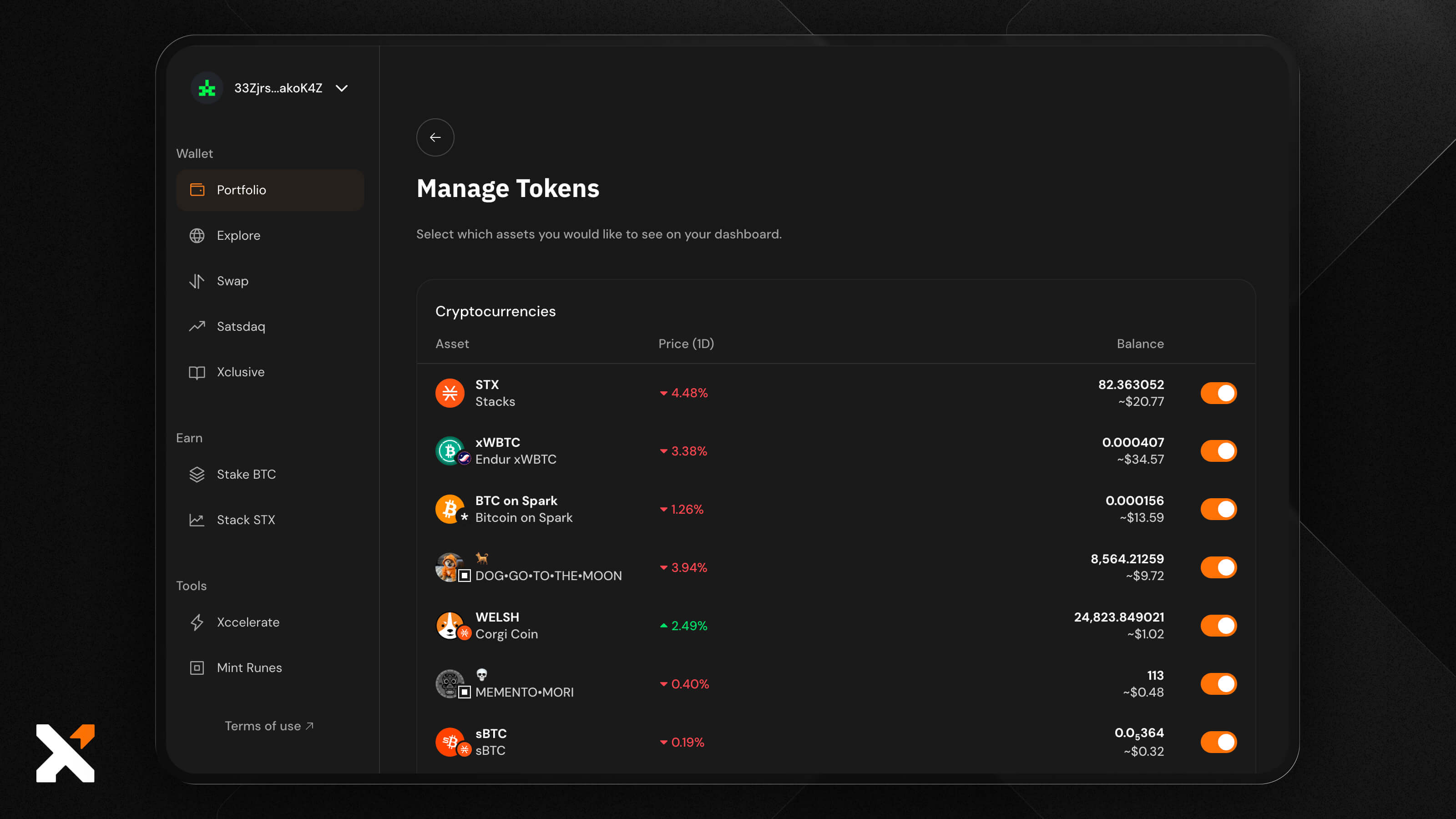
First, you can use the Manage tokens button to decide which assets you want to see in your portfolio. This cleans up anything you’re not investing in, making it significantly less cluttered.
Once your wallet is funded (either from another wallet, an exchange, or using the in-wallet fiat onramp that supports over 170 currencies and loads of different payment options), you can use the Swap feature to quickly get new tokens.
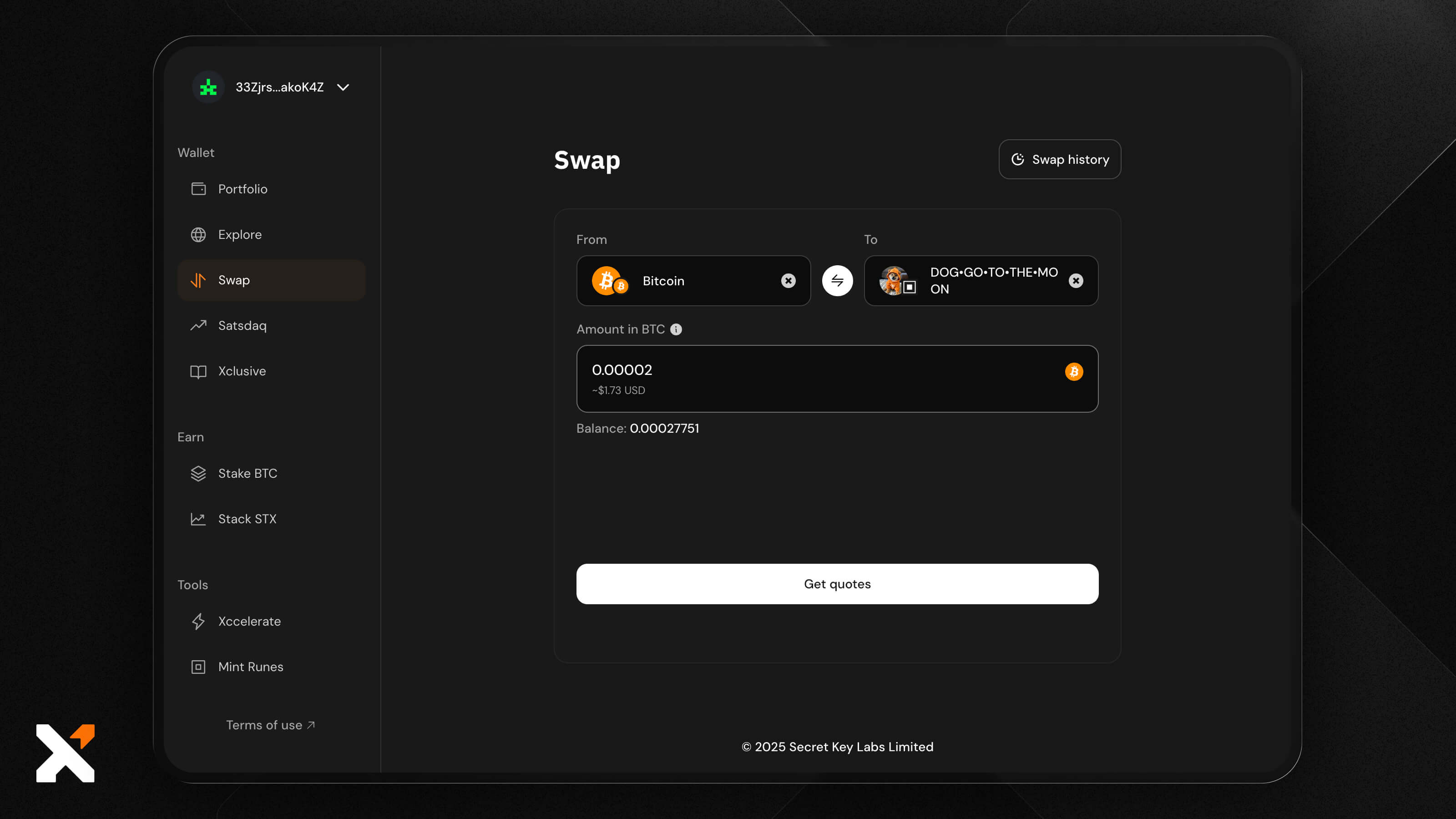
This is the quickest way to exchange one asset for another. You can buy a wide range of different tokens on Bitcoin-based protocols, which also simplifies the process of rebalancing your portfolio by simply exchanging one asset for another.
Additionally, Xverse has a discovery and trading platform called Satsdaq, where you can find both established and recently launched tokens. Use the Trending tab to find the most popular tokens at the moment, or Trenches for those that are newly launched and are still finding their feet.
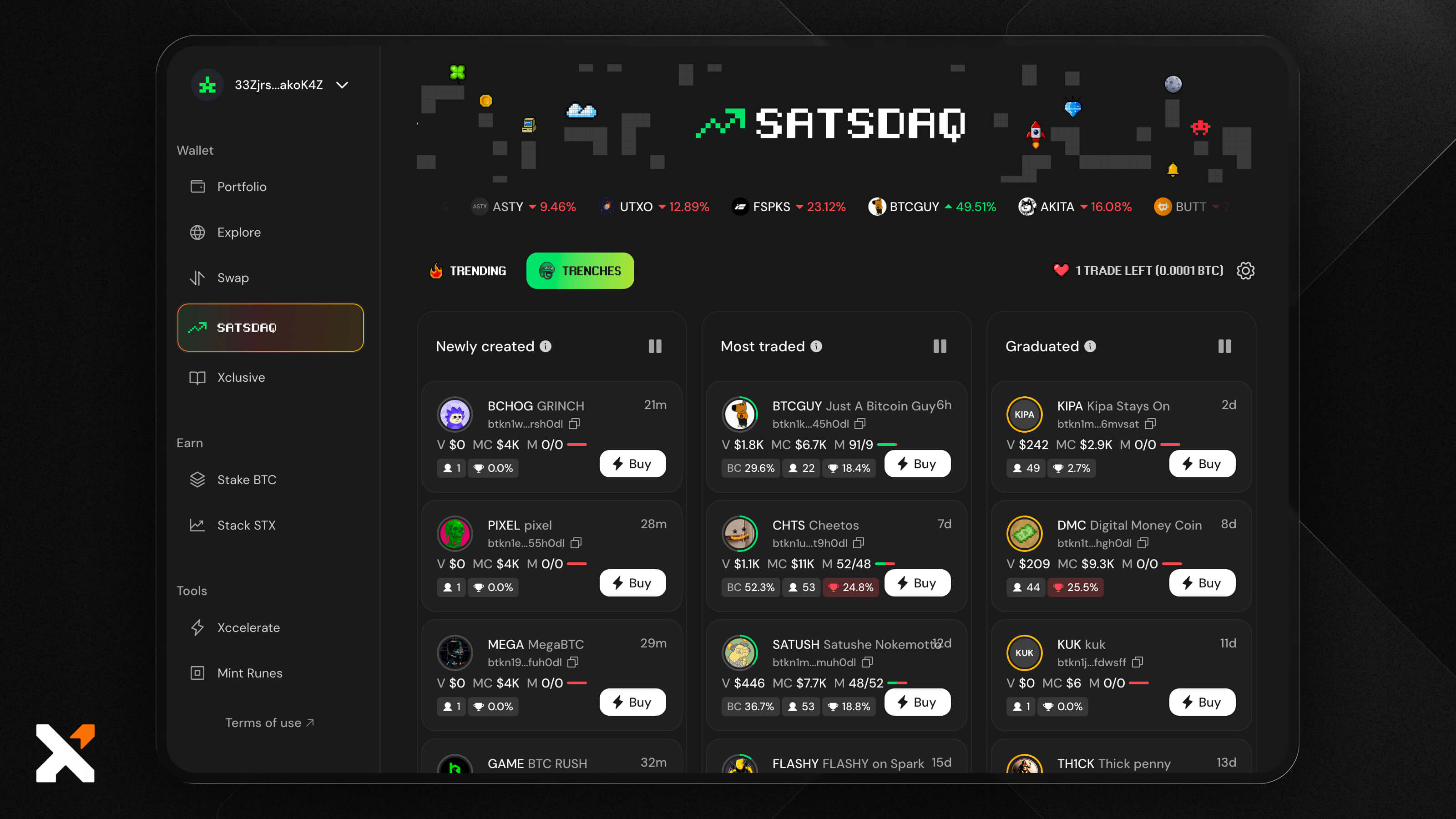
Satsdaq lets you discover, analyze, and buy new tokens in only a few very easy clicks.
Step 6: Track Your Portfolio Performance Over Time
To keep track of your portfolio so you don’t miss any major changes, you can use several features included in the Xverse Portfolio for both day-to-day and month-to-month tracking:
- Price and performance charts: Click on a token, then adjust the chart to see how it’s been performing during a time period of your choice, from days to months and even a year.
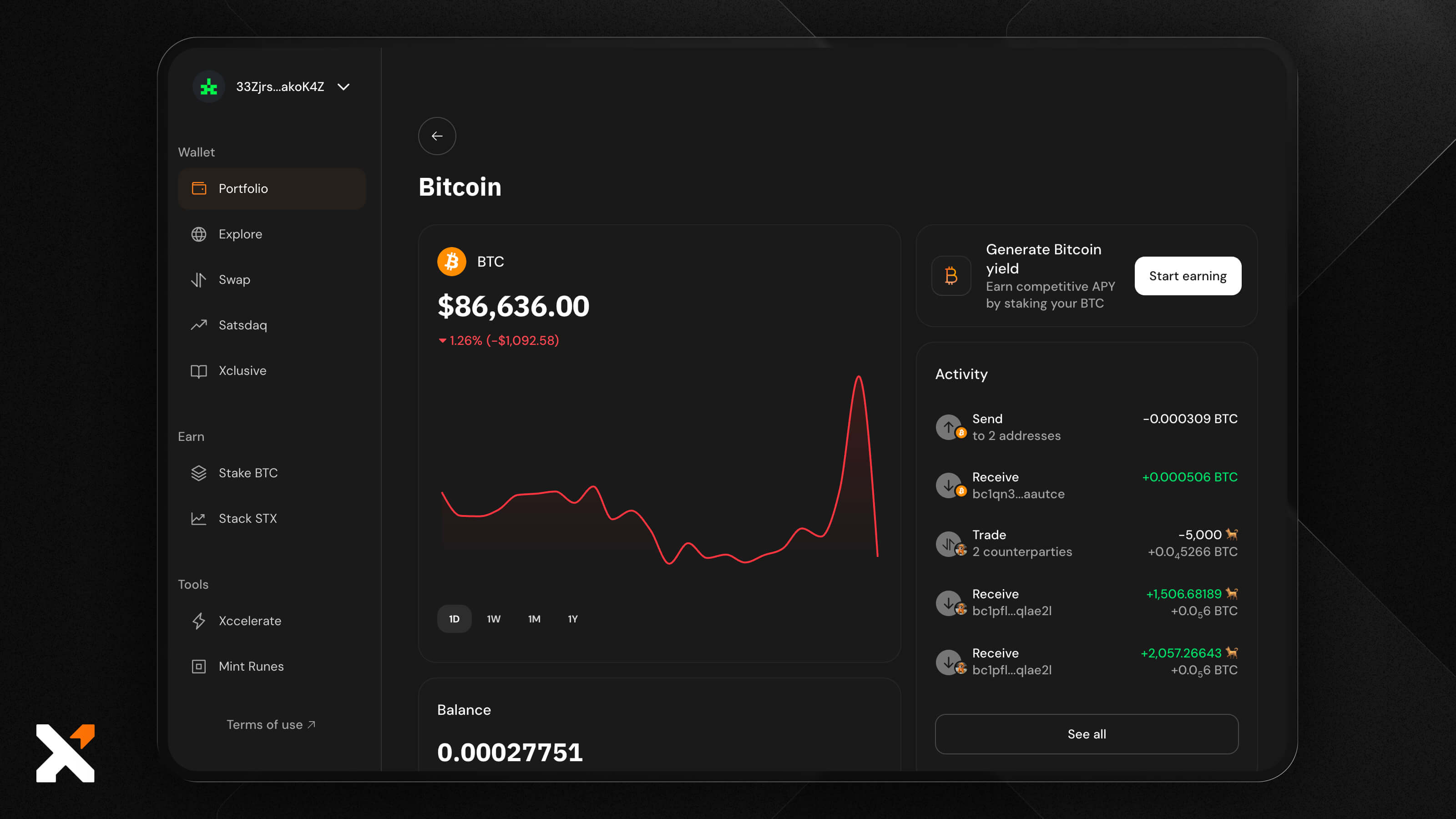
- Your activity log: This is key to keeping track of your own decisions, always knowing when and how you decided on a trade, and having an overview of every detail.
- General Portfolio: Here, you’ll see what your portfolio looks like today, but for monitoring changes or a trend, this is best used alongside these other features.
You’ll be able to see total value growth, asset movements, and changing percentages in your own breakdown, which helps you make decisions on buying, selling, and/or rebalancing.
Step 7: Rebalance Your Portfolio
Rebalancing your portfolio is key to adapting to market changes.
Remember when you first decided on your risk profile and created your portfolio allocation? With significant market movements, your assets may not behave the same way, so you may decide to sell some and/or buy others to keep the same risk-reward ratio, or even switch it up completely.

Regardless of which road you’re taking, the Xverse Swap feature is a great way to quickly exchange one asset for another. When you initiate a swap, you'll get quotes from different providers, so you can make sure you’re always choosing what’s best for you.
Some investors rebalance at different points in the market cycle, depending on their strategy and risk profile.
However, don’t take investment advice blindly and always DYOR before committing to significant portfolio changes.
Step 8: Keep Your Wallet Secure
Keeping your wallet secure is key to ensuring your portfolio is always your own. Xverse is a self-custodial wallet, which means only you have access to your keys and therefore the funds in it. But for a fully secure experience, some important steps include:
- Your own device: It’s best not to install your wallet on a device you share with others, like a web browser. Keep it private.
- Seed phrase: It’s of key importance as it’s the only way to reclaim your wallet if you get locked out, forget your password, or want to reinstall on another device. Keep it physically copied down and tucked away somewhere safe. It’s best not to have a screenshot or photo of it.
- Hardware wallet: Xverse integrates with Ledger and Keystone cold wallets, which means you can keep your funds safe and offline. This is especially useful if you’re opting for a long-term strategy.
- Keep your software updated: Older versions of a wallet can be more susceptible to attacks.
- Watch out for phishing scams: Never trust anyone asking for your information. Xverse will never request your seed phrase, password, or any other login info. Don’t click on unknown links online, and don’t approve unknown wallet connection requests.
Organize All Your Bitcoin Assets in One Place Using Xverse Portfolio
If you’re ready to start building your own crypto portfolio, the Xverse wallet and Portfolio feature are your best place to start. Explore everything from analytics and in-depth asset overview, to new launches on the Satsdaq platform, to quick swaps between your favorite tokens.
Access Xverse today to start managing your Bitcoin-native asset portfolio.
Disclaimer: This guide is for informational purposes only and does not constitute financial, investment, or tax advice. Cryptocurrency markets are highly volatile, and you should always conduct your own research before making any investment decisions. Xverse does not provide financial advice, and any examples mentioned are for general education only. Never invest more than you can afford to lose.


.svg)