How to Start Dual Stacking: A Step-by-Step Beginner’s Guide
Start dual stacking on Stacks with Xverse. Lock STX, hold sBTC, and maximize your Bitcoin yield with this simple step-by-step guide.
Sign up for updates!
Stay tuned to our latest news and updates
.svg)
In the Stacks ecosystem, stacking refers “locking up” STX tokens to support the network’s security and consensus mechanism for which you earn BTC rewards in return.
Now, Stacks has introduced dual stacking, combining STX locking with sBTC holdings to maximize yield, align incentives across the L2 and the Bitcoin mainnet, and strengthen the Bitcoin economy.
In this guide, we’ll take you through everything you need to know about dual stacking and how you can get started using your Xverse wallet.
TL;DR
- Dual stacking is a new feature of the Stacks protocol that lets you earn more from stacking STX by also holding or using sBTC.
- You can use your sBTC in Stacks DeFi apps or keep it tucked away in your Xverse wallet.
- The more sBTC you hold (and the more STX you stack), the more you receive in dual stacking rewards.
What Is Dual Stacking?
Dual stacking is a new way of boosting your yield on Stacks by locking up STX, the Bitcoin L2’s native token, and combining it with sBTC, the 1:1 BTC representation that remains fully pegged on this chain.
Stacking is a way for participants to secure the network and ensure decentralization while earning BTC yield in return. Dual stacking, which includes an opt-in if you own the sBTC peg native to the Stacks protocol, also helps secure the protocol and turns BTC into active capital.
In other words, dual stacking lets you keep using your sBTC across Stacks protocols while still earning rewards, combining liquidity and yield to help build a stronger, more dynamic ecosystem.
How Does Dual Stacking Work?
At its core, dual stacking has two main parts:
- The role of STX: Holders of the STX token can lock their STX in a pool, which helps support the network’s Proof-of-Transfer (PoX) consensus mechanism. Stacking STX helps anchor the Stacks network to Bitcoin’s base layer, ensuring that incentives between STX holders and Bitcoin miners are aligned. This is the very basis of the Stacks protocol.
- The role of sBTC: While sBTC isn’t essential for the stacking process itself, it’s an excellent way for BTC holders to participate in the Stacks consensus and earn yield in return. First, sBTC is minted by bridging BTC to the Stacks ecosystem, then kept in your self-custodial wallet or used across DeFi banks in the space with STX to increase your yield. The amount of sBTC you hold will directly impact your yield from stacking.
Dual stacking is possible through the stacking app on Stacks. Here, users who lock up STX and hold sBTC can decide to enter a dual stack pool. The total APY you’re eligible for will depend directly on the amount of sBTC you hold, not just how much STX you lock up. Of course, you can still stack normally, without boosting your rewards (though, why would you?).
Aside from your sBTC supply and the amount of STX locked, other factors that will affect the rate of your BTC yield include pool size and network activity. Base yields for sBTC alone reach up to 0.5%, while pairing it with STX and dual stacking can raise rewards to as high as 5% APY.
The rewards system follows a diminishing returns curve, meaning your first STX paired with BTC has the biggest impact on your rewards. Each additional pair still earns yield, but at a gradually lower rate.
This system is a definitive improvement for existing stackers as well: STX continues to earn normal stacking rewards, while the dual stacking rewards are extra.
How to Start Stacking STX & sBTC on Xverse
If you’re interested in boosting your rewards on the Stacks protocol, the best place to start is within your Xverse wallet. Let’s go through the process step by step.
Set Up and Connect Your Xverse Wallet
If you haven’t already, download the Xverse wallet. You can choose between a browser extension or a mobile app. You can also use both, setting them up with the same seed phrase.
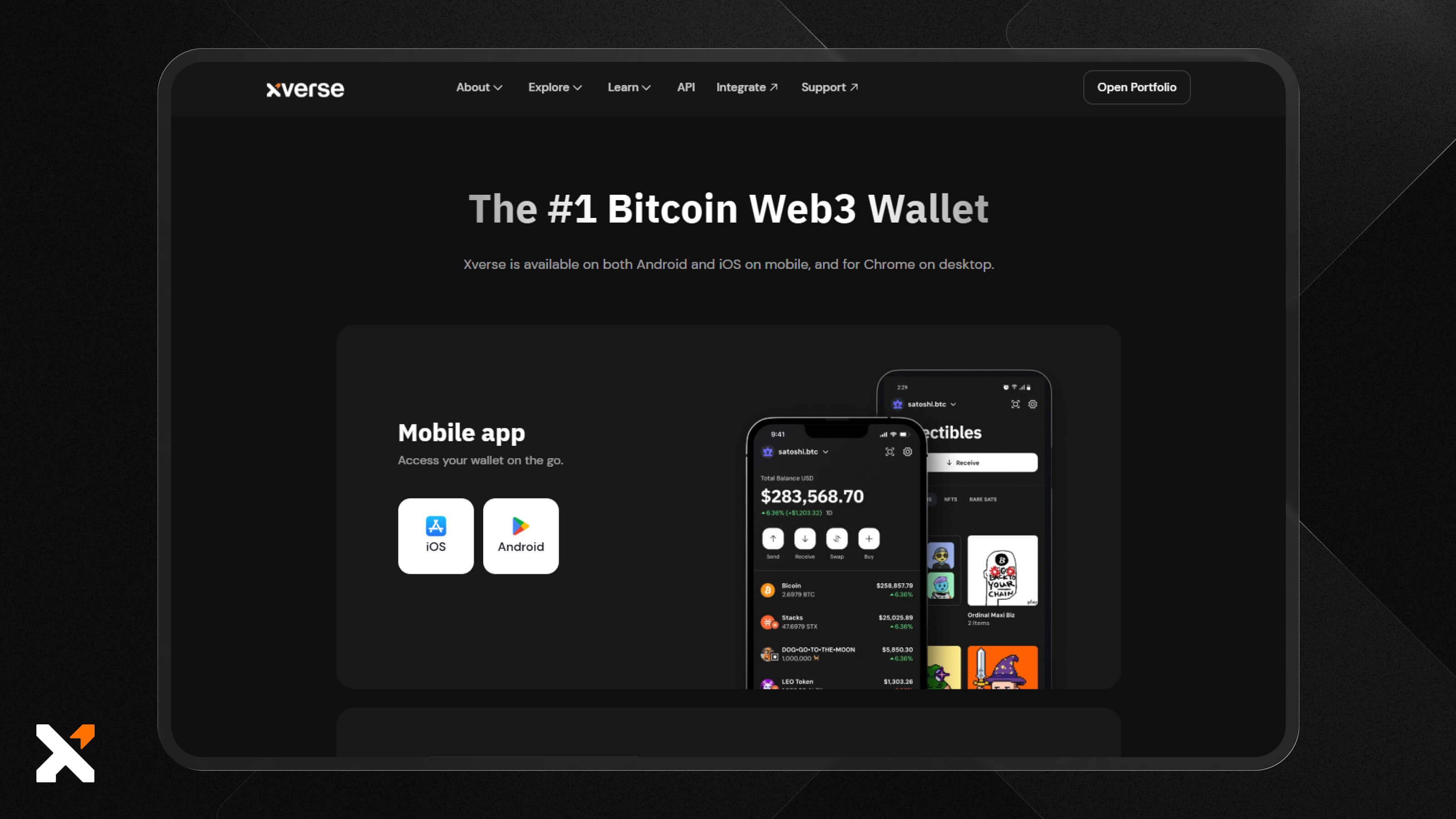
On that note, make sure that you set a secure password and copy down your seed phrase to a secure physical location. Xverse is a self-custodial wallet, which means nobody has access to your keys, but it also means that you can restore your wallet only using your seed phrase.
Then, head to the Stacks dual stacking app. Click ‘Connect Wallet’ in the top right-hand corner.
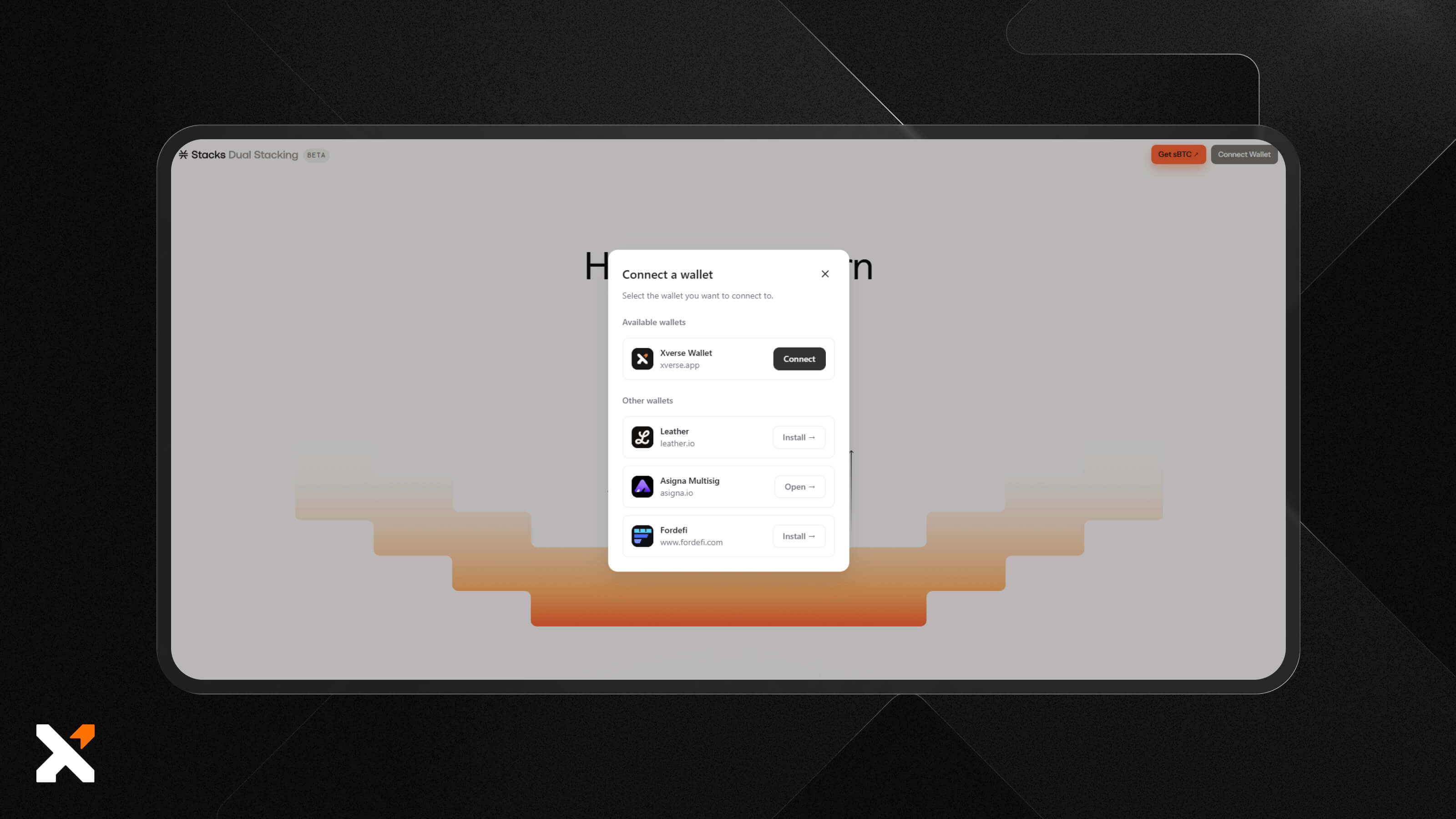
Accept the connection request from the app, and you’ll be automatically redirected to the dual stacking feature.
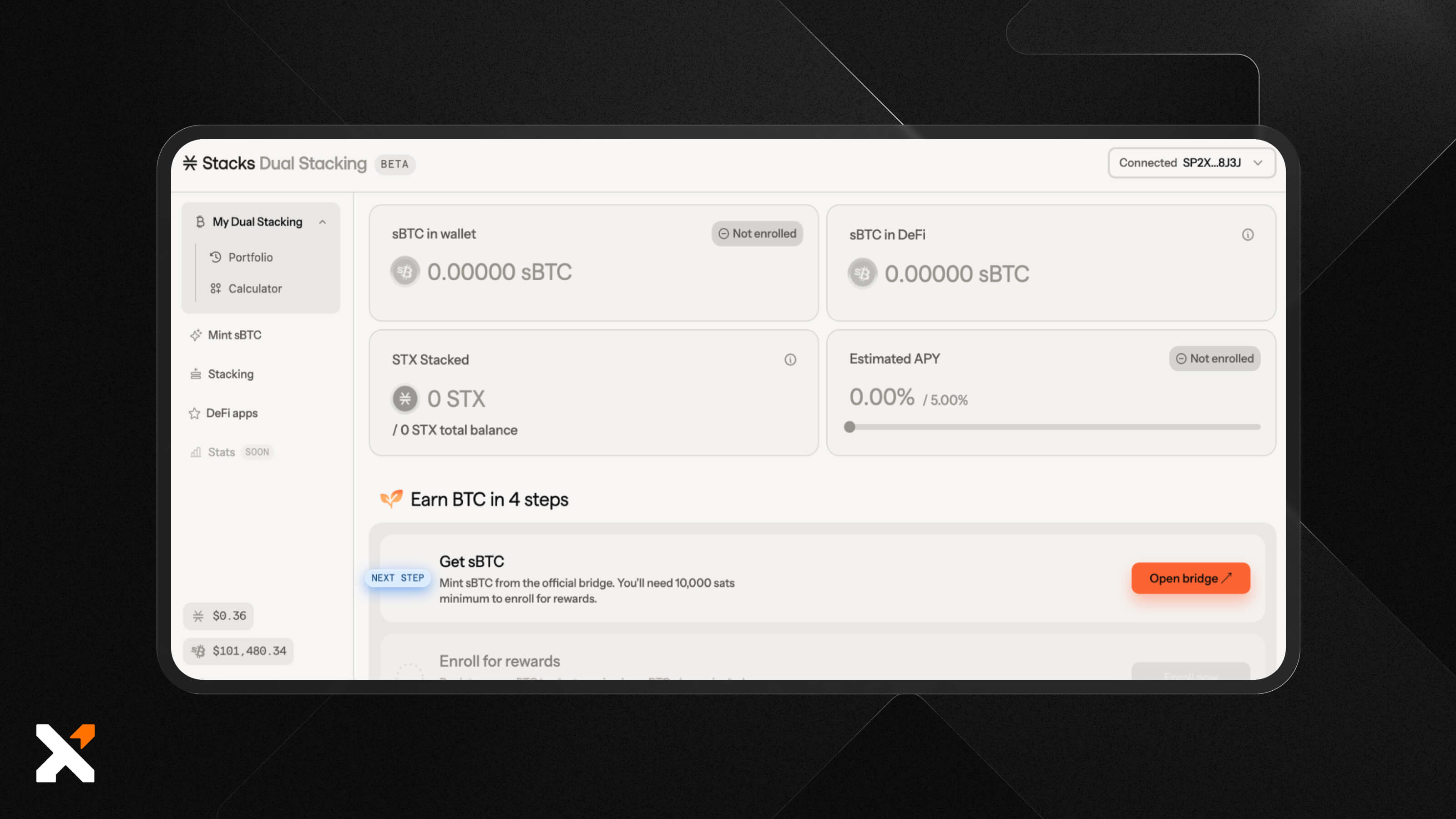
Mint sBTC from Your BTC
Before you can start maximizing your yield, you have to mint sBTC from your BTC in your wallet. The Stacks protocol provides its own bridge that works directly with your Xverse wallet.
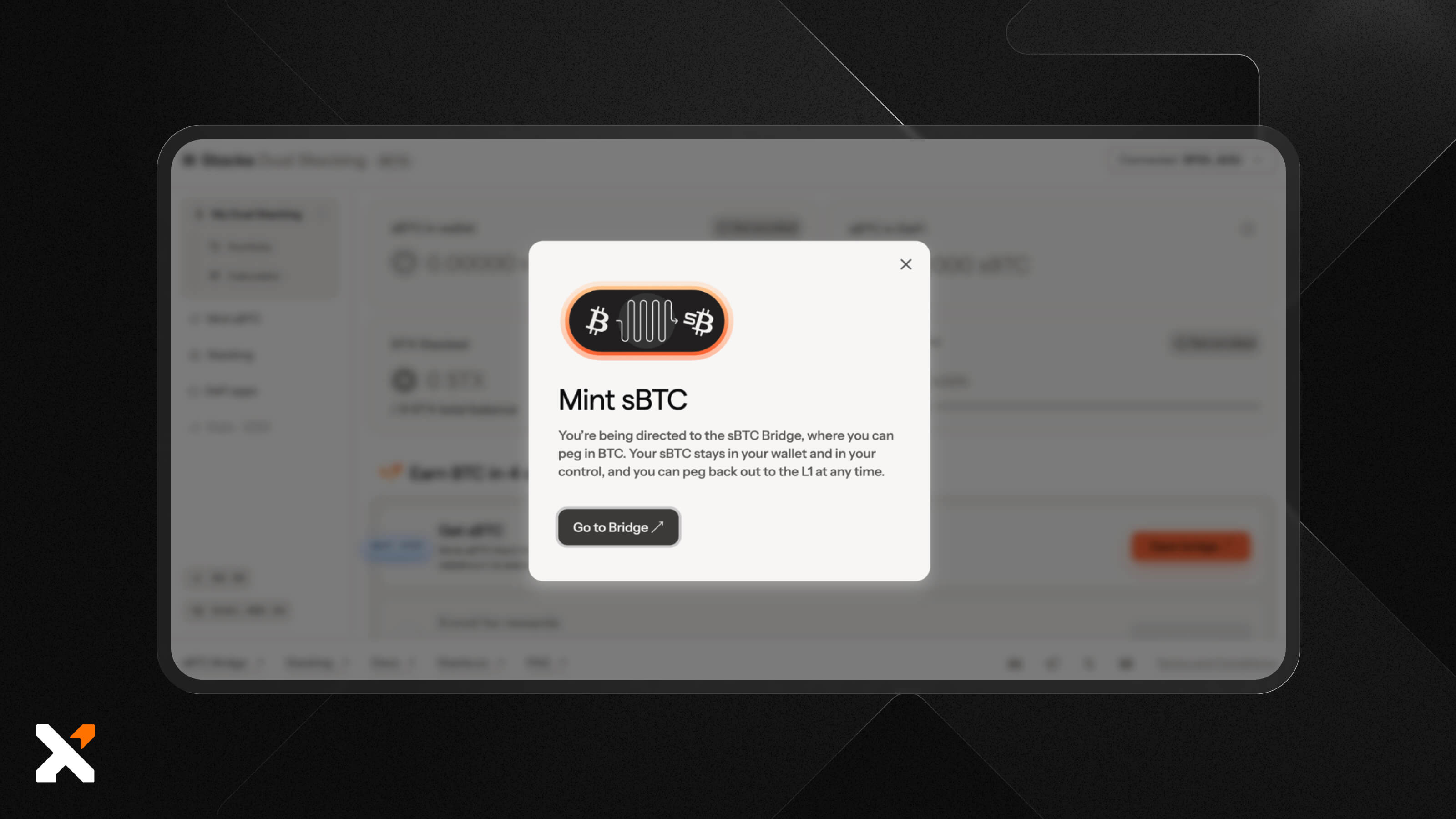
Click the orange ‘Open bridge’ button towards the bottom of the page to begin. You’ll see the information below pop up before you’re redirected to the bridging page.
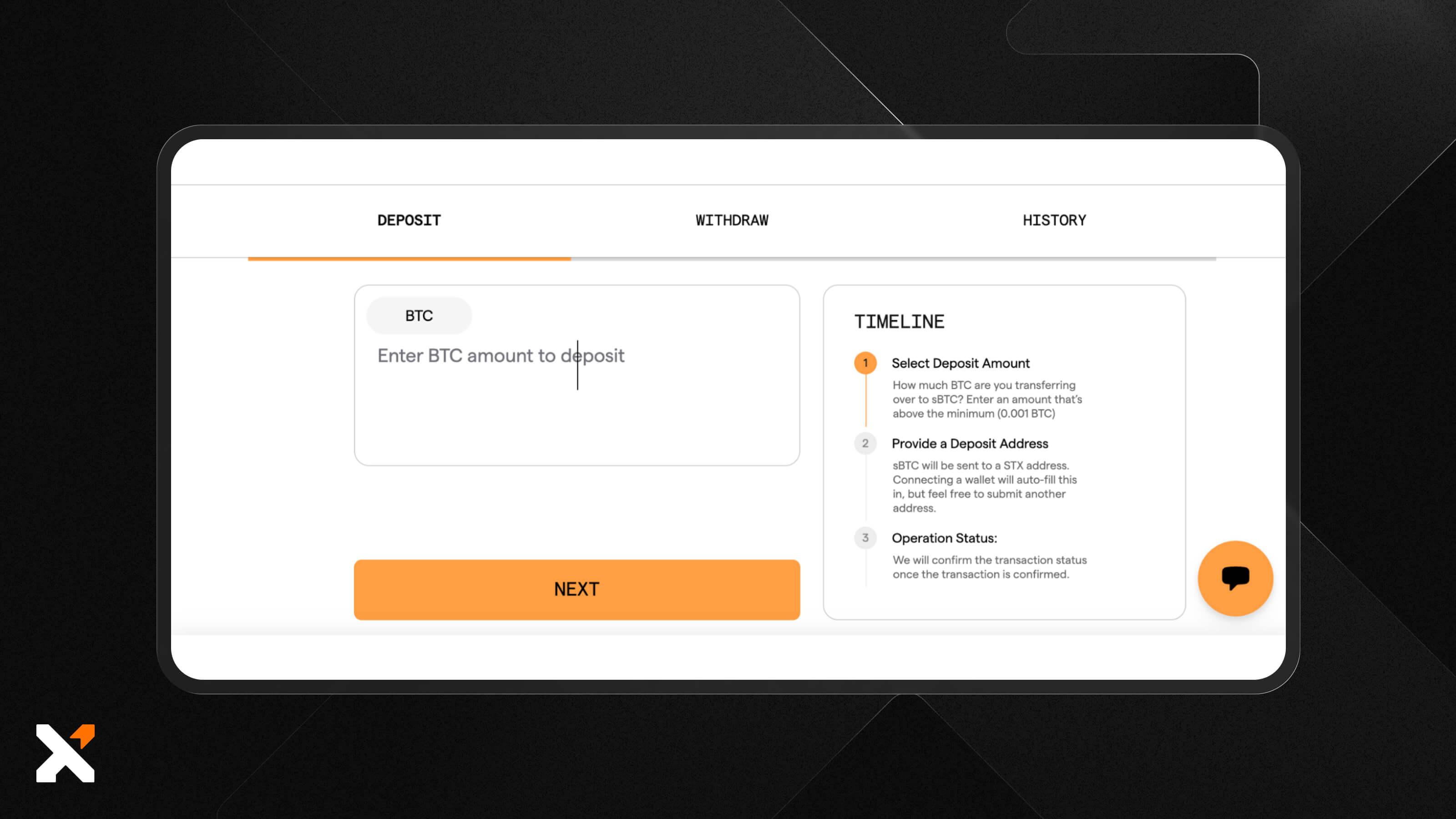
Next, enter the amount you wish to deposit. Make sure you’re bridging more than the minimum (0.001 BTC).
The deposit address will autofill, entering your Xverse wallet’s address, but it doesn’t hurt to double-check when reviewing the transaction.
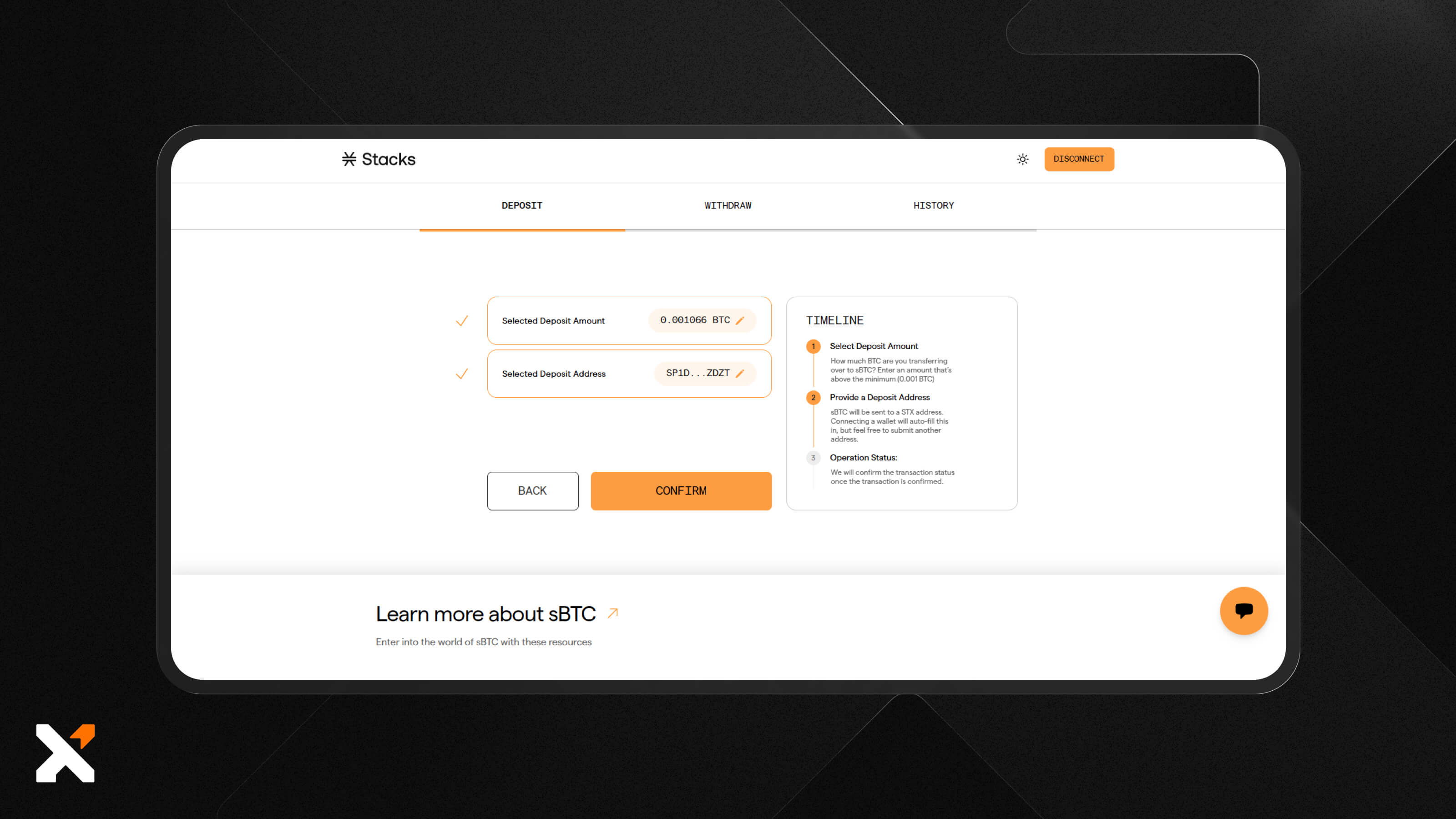
Once you confirm your settings both in the app and in your wallet, you’ll be able to see the operation status on the sBTC bridge. This includes an estimate of how long it will take until bridging is complete.
Enroll in Dual Stacking
To start dual stacking, just opt in through the dual stacking interface. Click ‘Enroll now’ to start earning rewards on the sBTC you own. You can either keep it idle or put it to work within the Stacks DeFi ecosystem, whichever you prefer.
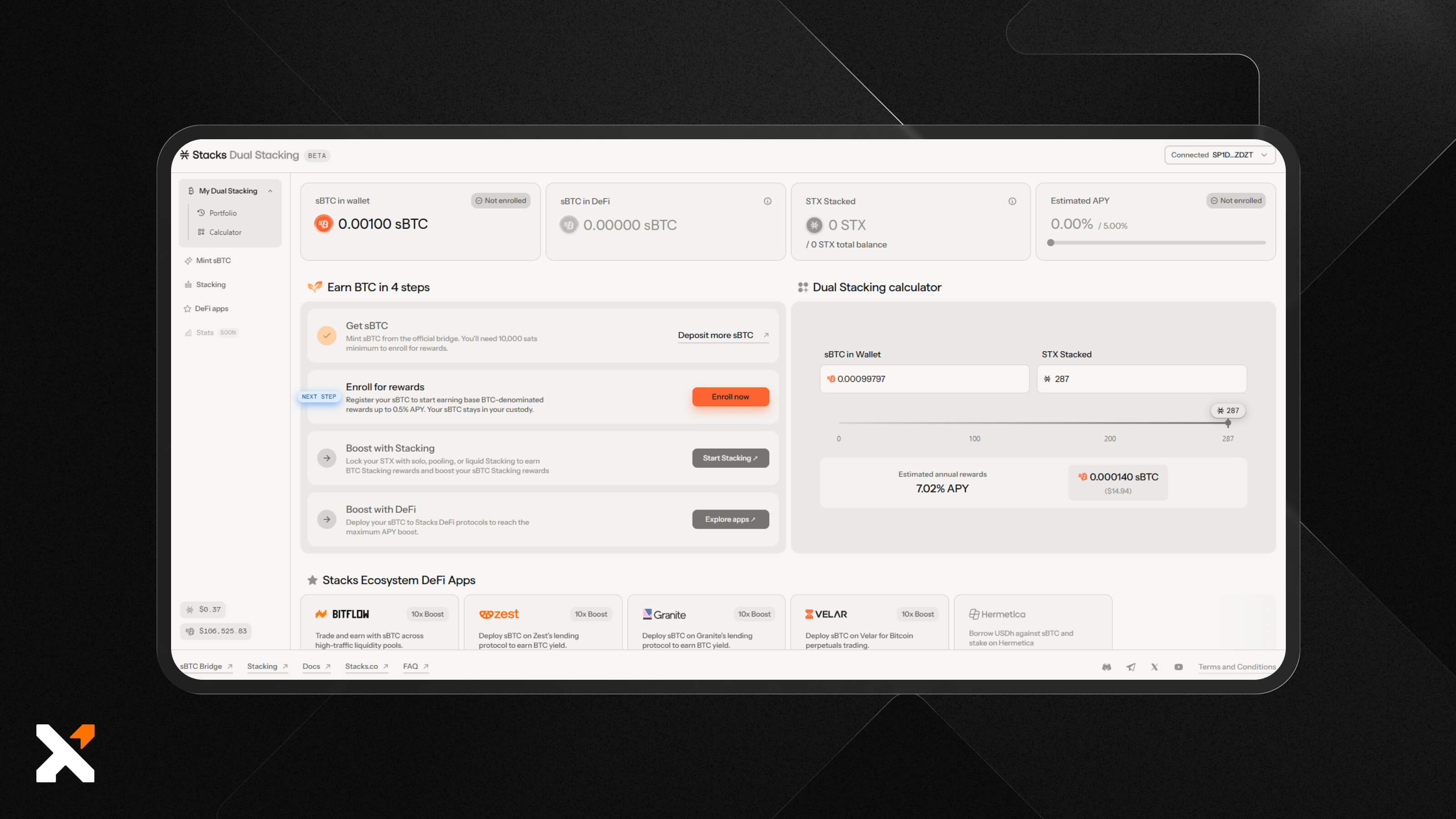
You’ve now made the first step in your dual stacking adventure!
You just need to confirm the enrollment in your wallet and ensure you have enough STX to cover any transaction fees.
Stack STX for Boosted Yields
To take full advantage of this new feature, stack your STX and watch your projected APY increase based on how much sBTC you hold.
You’ll then be prompted to choose a pool. If you already use Xverse, you might know that the Xverse Portal offers a stacking pool that makes the process super simple and intuitive.
Once you complete this setup, that’s it! Rewards are distributed every two weeks on average and paid out in sBTC.
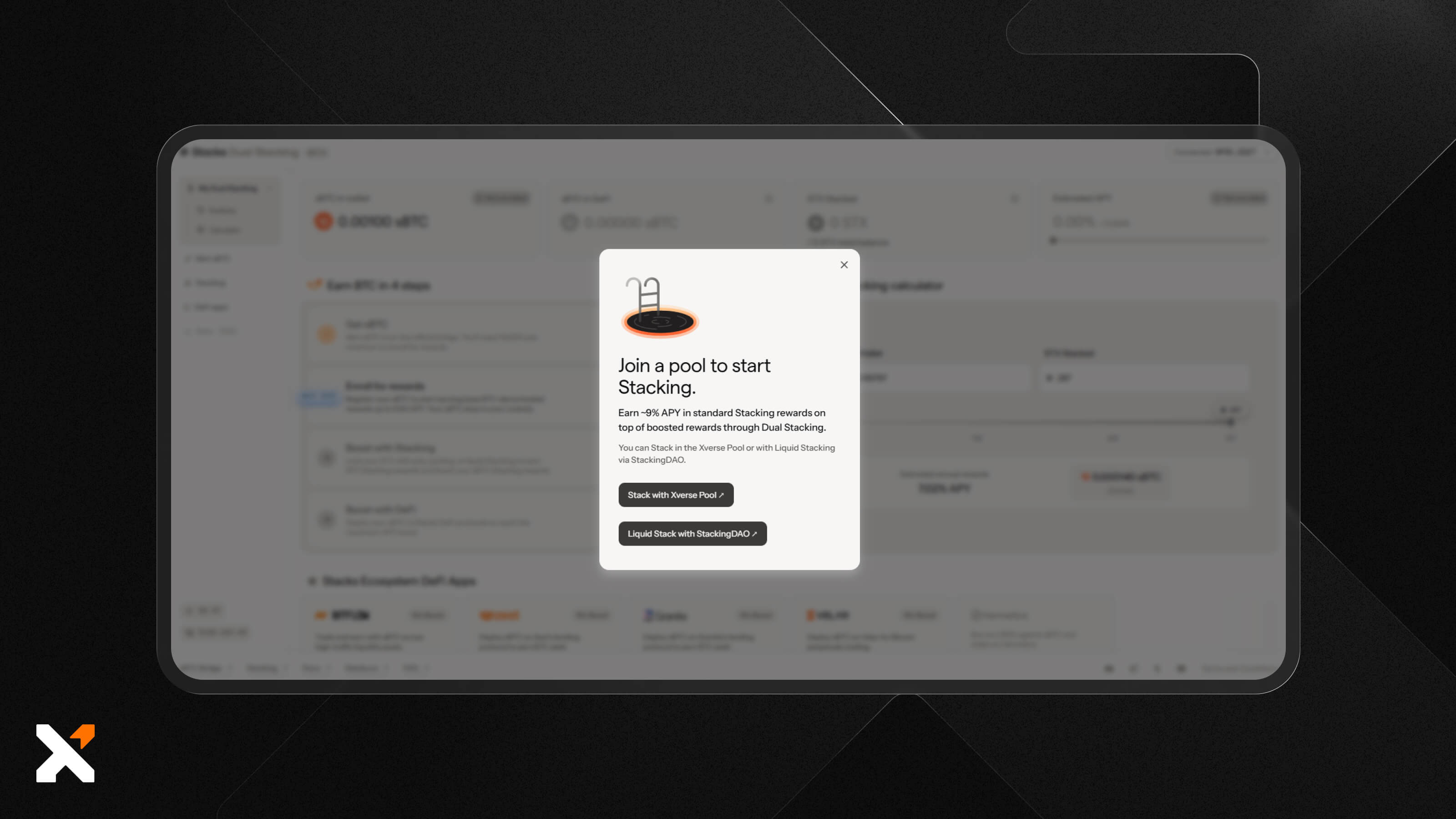
If you haven’t already, it’s also easy to buy STX using your Xverse wallet. Or, you can exchange your BTC for STX using the Swap feature, which now supports two-way BTC to STX swaps.
Start Stacking STX & sBTC to Earn More BTC Yield Today
If you’re ready for more BTC yield through Stacks, your Xverse wallet is the perfect place to start. Connect your wallet to the Stacks app, bridge your BTC to sBTC, lock up your STX, then opt in to enjoy the rewards!
Download the Xverse wallet now to start your dual stacking journey.
FAQs
How is dual stacking different from regular STX stacking?
Regular STX stacking requires you to lock up your STX for two weeks at a time. Dual stacking works the same way but increases your yield by factoring in how much sBTC you hold or use across the Stacks ecosystem. This means more rewards for something you’re likely already doing.
What is the minimum amount to start dual stacking sBTC?
The minimum amount required to start stacking STX by itself is 500 STX, and the minimum BTC you can bridge to sBTC is 0.001 BTC. You can start dual stacking with this amount.
Where does the Bitcoin yield in dual stacking come from?
The yield in dual stacking comes from Stacks entities who volunteer their Stacking rewards, earned via the protocol’s Proof-of-Transfer consensus mechanism, to Dual Stacking participants as sBTC.
What is the ratio of STX to sBTC required?
The ratio of STX to sBTC isn’t fixed, so you don’t need to worry about the exact ratio as long as you meet the stacking minimum. However, holding more sBTC will increase your rewards more effectively than simply locking up additional STX.
Can I dual-stack BTC without STX?
You can’t really dual stack BTC without STX, since that’s a single asset and source of yield. To actually dual stack, you need to hold (or use) sBTC and stack STX at the same time. You’ll be able to see the projected rewards via your personal interface


.svg)

Related articles
sBTC Staking Explained: How to Earn Stacks Bitcoin Rewards on Bitcoin
Every way to earn on Bitcoin has asked you for the same thing first. Wrap it into something else. Bridge it somewhere else. Or send it to a company that pays you interest right up until the week it stops. Bitcoin staking on Stacks does not work that way.